Finding funders with Funder Finder
Match your organization against ~29,000 U.S. private foundations, and query their IRS 990 filings directly.
Updated October 16, 2026
Most funder prospecting starts from a directory and works inward. PowerGrant works the other way: it starts from your organization — your mission, programs, geography, and funding history — and finds the foundations whose actual giving matches it.
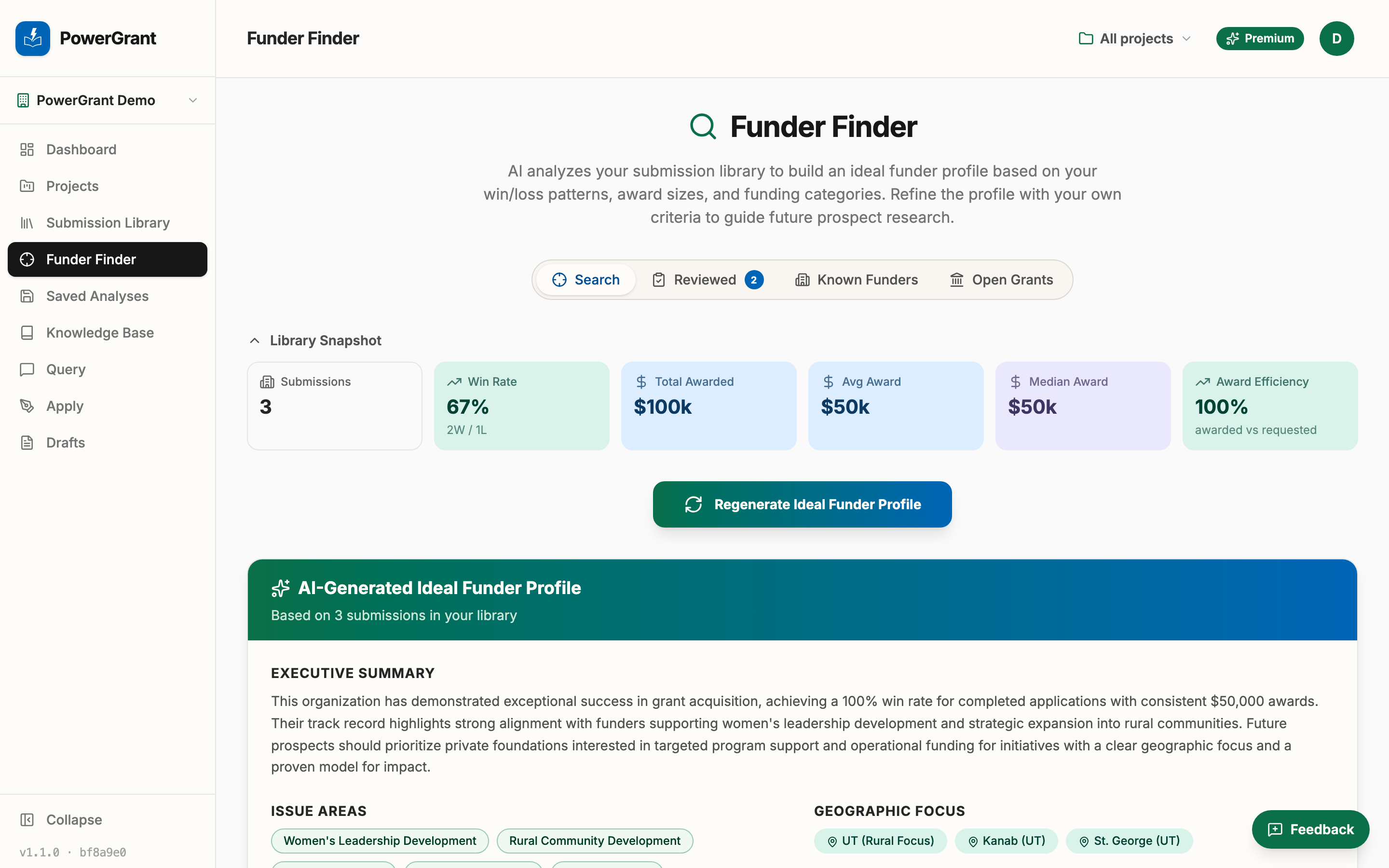
Run a funder match
- Open the Funder Finder tab.
- PowerGrant analyzes your Submission Library and knowledge base to build your ideal funder profile — the issue areas, geographies, and grant sizes that fit organizations like yours. Review it and adjust anything that’s off.
- Run the match. Your profile is compared against a database of roughly 29,000 U.S. private foundations, built from their IRS Form 990-PF filings — real grants they actually made, not self-descriptions.
- Browse your Foundation Matches: each shows why it matched, what the foundation gives, and a snapshot of its finances. Save the promising ones to review with your team.
The more your knowledge base and Submission Library know about you, the sharper the profile — a few past applications noticeably improve match quality.
Ask the 990 data directly
For specific questions, the Query tab has a Form 990 mode: switch the toggle from Knowledge base to Form 990 and ask in plain English —
“Which foundations in Utah fund youth education with grants over $50,000?”
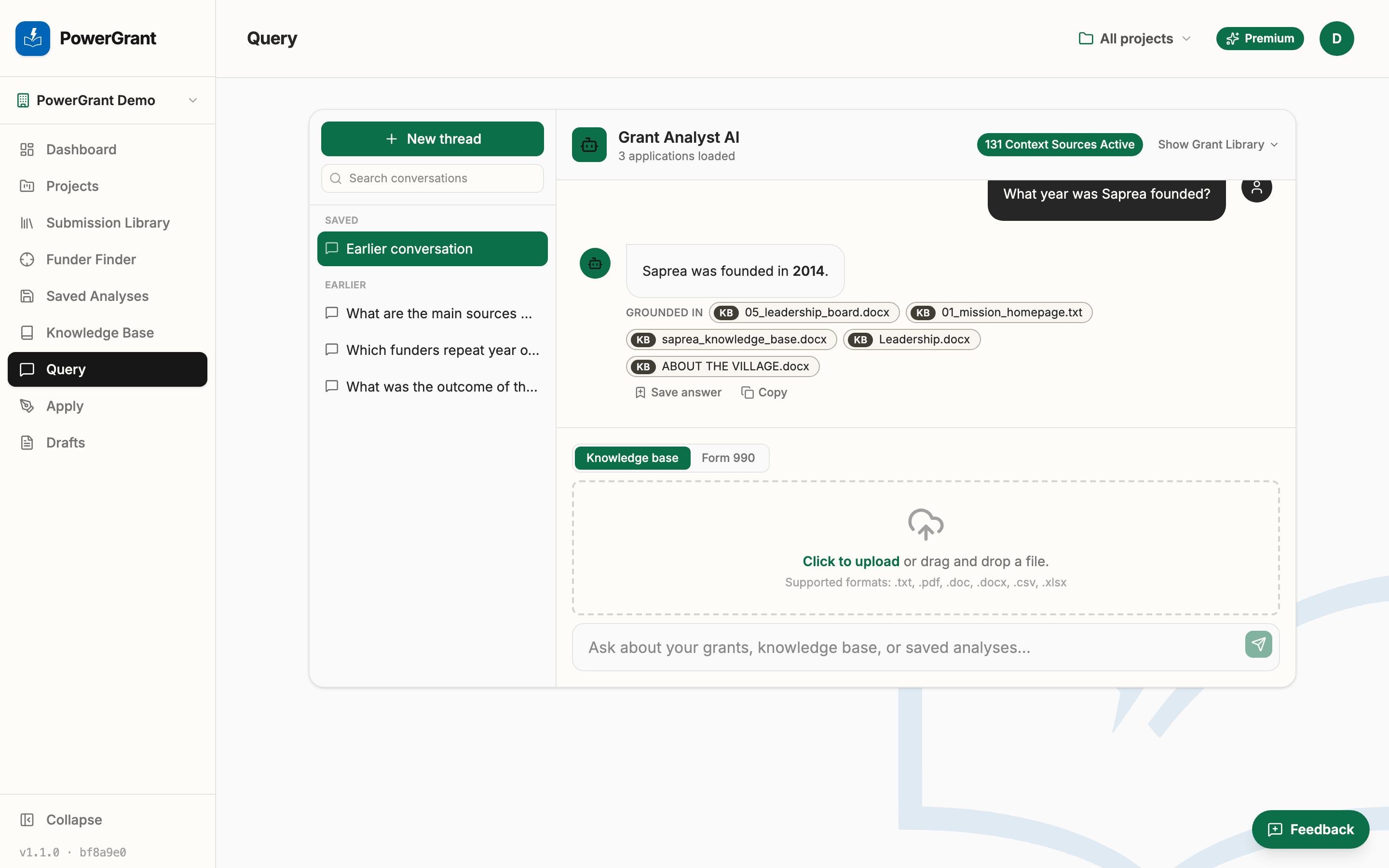
Answers come straight from the filings data, so they’re exact rather than AI-guessed. One thing to know: the IRS publishes filings on a delay, so the data lags real-world giving by 18–24 months.
Asking longer questions
The ask box grows as you type, so a long question stays readable. Enter sends it and Shift + Enter starts a new line. If you paste a numbered or bulleted list, the list keeps its structure, so PowerGrant can see how your source was organized instead of reading it as one run-on paragraph.
Good to know
- Funder Finder is part of every paid plan (and included in the free trial).
- Matches reflect a foundation’s filed history. A foundation changing direction won’t show it until its next filing — treat matches as a research starting point, not a guarantee.